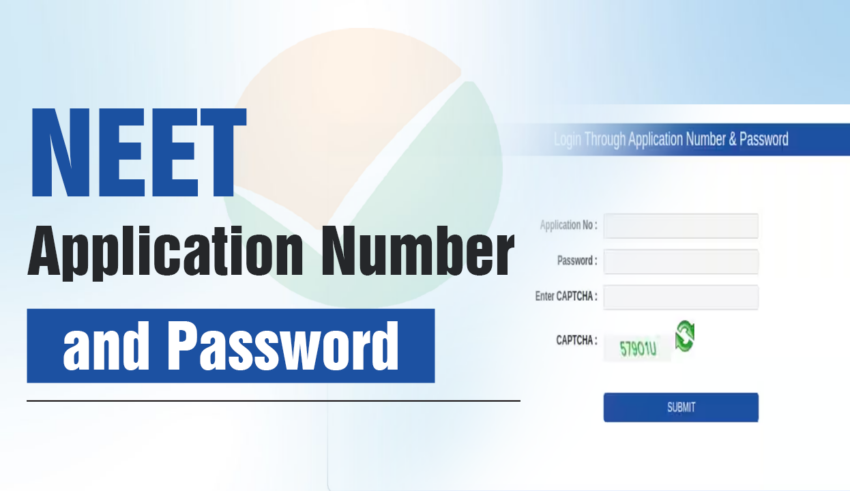
Forgot NEET 2026 Application Number and Password: Introduction
The NEET application number is a special 12-digit number that is created while completing the NEET 2026 registration process. After the registration is done successfully, students receive their NEET application number and password, which are needed later during the exam-related work. This NEET application number is very important and is used to check the NTA NEET intimation slip, download the NEET admit card, view scorecards, and for many other purposes. During the NEET 2026 application form-filling process, students must complete their registration first. Once the NEET 2026 registration is finished, the application number is sent to the registered email ID and mobile number.
If students face the problem of the NEET password, they can reset it easily. The NEET application number and password can be recovered from the official NEET login portal provided by NTA authorities. To get back the login details, students need to open the student login portal and click on the “forgot NEET application number 2026” or “Forgot NEET 2026 password” option, then enter the required details. Read the full article to understand the use of the NEET application number and its role in the NEET admission process.
Read More:
- NEET UG Registration 2026: Check Last Date to Apply, Application Form Process, Fees and Documents
- NEET UG 2026 Exam Date: Check NEET Exam Schedule, Important Dates
NEET Application Number 2026
The NEET application number 2026 acts as a personal identity for every exam student. This number is needed at many stages of the NEET exam process. From filling the NEET form to the final admission stage, the NEET application number stays useful during the full journey. In case of forgot NEET application number, candidates may face issues at many steps. Some important uses of the NEET 2026 application number are listed below:
- The NEET UG application number is needed for “candidate login”, which is an essential step while filling the NEET application form.
- Unique identity for candidates – at the point of NEET 2026 registration, a 12-digit unique application number is generated. This number is different for every candidate and works as an identity number, useful even if forgotten, as application number issues arise later.
- Checking allotted exam City using NEET exam city intimation slip- Application number and password will be needed to download NEET UG city intimation slip. Applicants are able to verify the pre-allotted NEET examination centre city by using the slip and do the travelling arrangements in case the centre is distant.
- Downloading the NEET admit card – NEET application number is another critical point to download the NEET admit card. This NEET application number is also printed on the NEET 2026 hall ticket.
- The NEET application number is used to check and raise objections in the NEET answer key and is also helpful to view the NEET UG result.
- Useful during NEET counselling – The application number also works as an identity number during the online counselling process of the NEET 2026 exam, especially if NEET application number 2026 concerns occur.
Check Out: NEET Admit Card 2026: Release Date & Steps to Download Hall Ticket, Direct Link
NEET application number 2026: How to generate
To get the NEET application number, students must complete the NEET exam registration step. Creating the application number is the first part of filling out the NEET form. This step is important to avoid forgot application number problems later. Given below is the process to generate the NEET UG application number.
- Open the official NEET website (idioms website) neet.nta.nic.in
- Click on the “New candidate register here” option
- The NEET registration form opens, where all the required details must be filled in carefully
- A valid mobile number and email address must be entered
- OTP verification is done using the code sent to the mobile number and email address
- After successful verification, a 12-digit NEET application number and the NEET password are shared on the registered mobile number and email ID.
Check Out: List of Documents Required for NEET 2026 Application Form
Candidate login using NEET application number
The NEET application number is needed to create the candidate login page, which helps students sign in and fill the application form. The same candidate login detail is also required during the NEET correction window. The following information is needed for the candidate login.
- Date of birth of the student
- Name of the applicant
- A valid email address and mobile number
- The candidate’s father’s name
- ID proof of the student
- The mother’s name of the candidate.
Check Out: NEET Form Fees 2026: Category-Wise Fee Structure
Steps to Retrieve NEET Application Login Number 2026?
The NEET application number is very important during the complete process of the NEET UG exam. If applicants have forgot NEET application number 2026, they must choose the option “Forgot Application Number” on the NTA login page and follow the given process. The complete process to retrieve the NEET 2026 Login Application Number and Password is shared below.
- Visit the official NEET website, neet.nta.nic.in
- Click on the “forgot application number?” option. A request page for the NEET UG application number will open
- Enter the name of the candidate
- Enter the email address used during the NEET 2026 registration process
- Fill the security pin and click on the “submit” option
The NEET application number will be sent to the registered email address and mobile number of the applicant. Candidates should keep this application number and their NEET password safe for future use.
Check Out: NEET Exam Centres List 2026: Check State-wise City List with Codes
What is the NEET Password?
NEET Password is a code made by students while filling the NEET 2026 application form-filling process. Students are advised to note down the NEET UG 2026 password after completing their registration account. As per NTA rules, a strong NEET Password uses letters, numbers, and special characters together. Candidates must choose a different mix of upper- and lower-case letters along with special characters to avoid issues like Forgot NEET 2026 password later.
NEET Password Example
There are fixed rules that candidates must follow to create a valid NEET Password for 2026. Students need to set a password with 8 to 13 characters. It should have at least one upper case and one lower case letter, one number (such as 0 to 9), and special characters (such as !, @, #, $, %, ^, &, *), which helps during NEET Password Recovery.
How to Generate NEET 2026 Password?
Students must complete the basic NEET 2026 registration process to create the NEET 2026 password online. The method to generate the NEET 2026 password is shared below.
- Visit the official website of the NEET 2026 exam.
- Select the “New Candidate Registration Here” option.
- There will be a pop-up screen where the candidate is required to provide their name, contacts and date of birth in order to generate a password.
- An OTP is sent to the registered email ID and mobile number to confirm identity, and verification is finished after entering the received OTP, useful if NEET password forgot.
- The password is created online, and candidates receive a confirmation email and message on their registered email address and phone number.
Steps to Retrieve NEET Password
The NEET Password can be recovered using three simple methods: through security questions, through OTP verification on the registered mobile number or email address, and through the registered email address using a reset link. The applicants are free to adopt any of the methods depending on the information they have in hand and then address the steps as below.
NEET Password Recovery Methods
- Go to the official NEET 2026 Application portal, and you will see the Forgot Your Password option displayed on the first page of the login.
- Choose the desired way of recovery, which involves answering the security question, receiving OTP or using the registered mail address.
- For the security question option, answer the displayed question correctly to move to the password reset page.
- For OTP verification, enter the Application Number, Security PIN, Date of Birth, and registered phone number or email address to receive the OTP.
- For email recovery, enter the required details to receive the password reset link on the registered email address.
- Enter the OTP or open the reset link, then create a new NEET Password and submit the captcha code to confirm the changes.
- After successful submission, a confirmation email for the NEET Password reset will be sent to the registered email address.
How to Avoid Forgetting NEET 2026 Application Number & Password?
There are many simple ways through which students can remember their details at the right time. Below are the points to follow to avoid forgetting the NEET application number & password 2026.
- Students can note down the NEET 2026 application number & password in a small notepad or diary
- They can keep the NEET login credentials saved inside the phone’s notepad.
- Students can keep a screenshot of the NEET 2026 login details.
In conclusion, recovering the NEET 2026 Login Application Number and Password is now simple for the applicants. Examinees will be able to reset their password and get back their NEET Application number 2026 by visiting the webpage of the NTA authorities.
FAQs on Login Application Number and Password: Steps to Retrieve
Q: What is a NEET application number?
A NEET application number is a unique 12-digit identity number issued by the National Testing Agency (NTA) to every student after successful first-time registration for the NEET (UG) exam.
Q: What does the Identification Number mean in the NEET Form?
The Identification Number in the NEET Form means your NEET Application Number, which is a unique 12-digit number created after successful registration. It works as your login ID and helps in checking your application, status, and upcoming exam steps. It is also called the Registration Number and is shared through email/SMS after completing the first registration process on the neet.nta.nic.in website.
Q: How to retrieve the NEET application number?
You can retrieve your NEET application number from the official National Testing Agency (NTA) NEET website by clicking the “Forgot Application Number” option. The number is sent to your registered email ID or mobile number.
Q: Why is the NEET application number important?
The NEET application number is important because it acts as your unique identity during the complete exam and admission process. It is required for almost every activity with the National Testing Agency (NTA) and participating colleges.
Q: Can I change my NEET 2026 Login Application Number and Password?
Yes, it is very easy to change your NEET 2026 password with the help of an official site (idiom site) (neet.nta.nic.in) by using the options available (i.e., OTP sent to your registered mobile/email or by answering your selected security question), although you cannot usually change the Application Number and the form is always connected with this number, therefore, in this case, it is necessary to address NTA support.
Q: What should I do if I forget my NEET 2026 Login Application Number and Password?
If you face NEET password forgot issues or forget your NEET 2026 login details, visit (idioms dictionary) the official NTA website (neet.nta.nic.in). Click “Forgot Password/Application Number,” and use options like SMS/Email OTP, a reset link, or your security question to recover your application number. There, you can reset the password by entering details like your name, DoB, and registered email/mobile, or use the “Forgot Application Number” option separately.
Q: What to do If I Forgot my NEET Password?
If you forgot your NEET password, you can recover it by visiting the official NTA website (neet.nta.nic.in) and clicking on the “Forgot Password” link. You can reset your NEET Password using options like OTP sent to your registered email or mobile number, a reset link, or by answering your chosen security question. After verifying your details such as name, date of birth, and registered email/mobile, you can create a new NEET UG 2026 password and log in to your account.